Wall Summary
The Wall Summary sits in the upper left corner of the screen and carries important information about the active retaining wall. This section is purely informational.
1 minApplies to: Retaining WallFeedback →
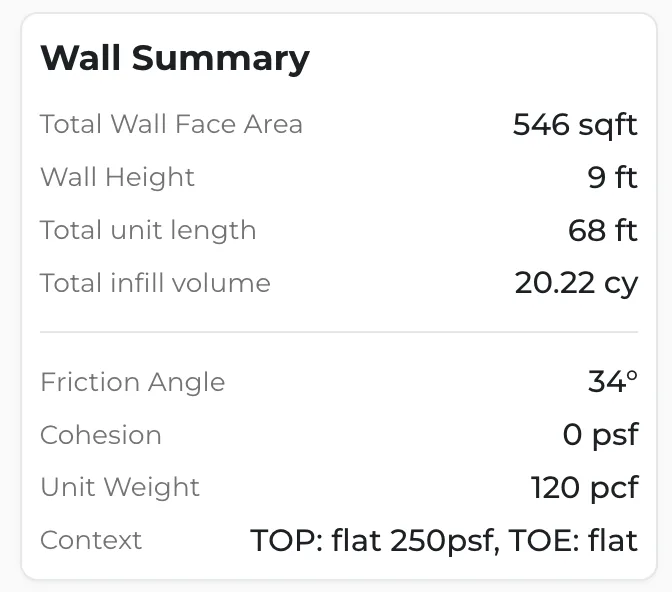
It gives you quick access to critical wall specifications:
- Face Area — total surface area of the wall face.
- Wall Height — maximum height of the retaining wall.
- Unit Length — linear length of the wall.
- Infill Volume — volume of material required for infill.
- Friction Angle — soil friction parameters.
- Cohesion — soil cohesion values.
- Unit Weight — weight per unit volume.
- Context — site-specific conditions and loading.
Was this page useful?Stuck? help@struction.com
More docs